
Finding the best AI photo to video generator is harder than comparing a list of feature checkboxes. Some tools are best for a fast social post, some are best for a branded marketing workflow, and some are best when the original image is AI art rather than a real photo. We compared six widely used options around the decisions that matter after the demo: motion quality, time to a usable result, included-plan limits, watermark policy, and how much editing knowledge you need.
This is an editorial comparison, not a single-tool feature list. PhotoToVideo-AI earns two recommendations because its focused, watermark-free trial workflow is unusually direct, but Canva, Adobe Express, Invideo AI, Leonardo AI, and Pixlr each win a clearer category. The best AI photo to video choice depends on the job you need to finish.
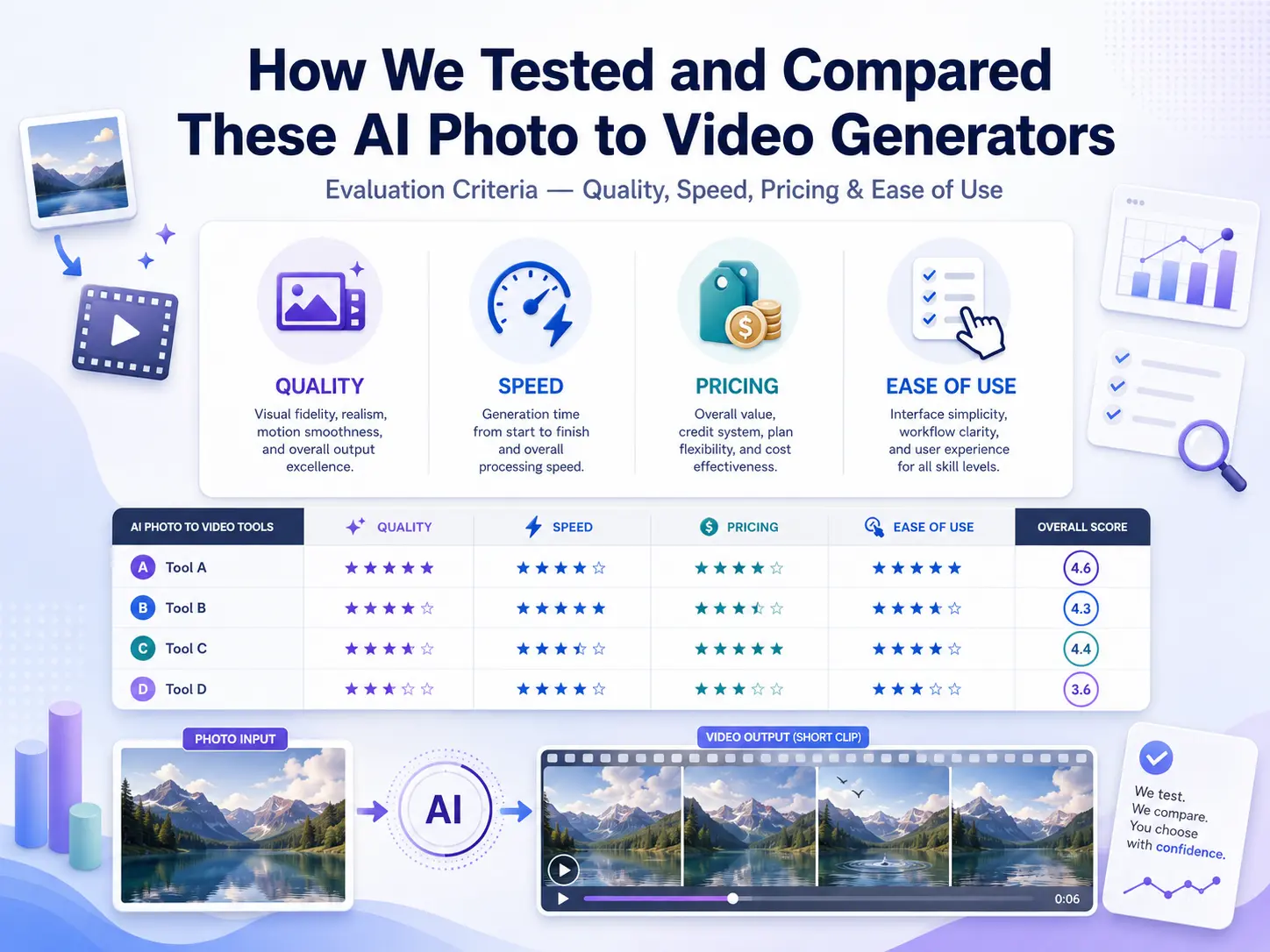
How We Tested and Compared These AI Photo to Video Generators
Evaluation Criteria — Quality, Speed, Pricing & Ease of Use
We evaluated every AI photo to video generator with the same four practical criteria. Output Quality covers whether faces, products, lighting, and image composition remain believable once motion starts; a high score means the video adds movement without making the source image feel unstable. Speed measures the distance from upload or prompt to a reviewable clip, not just the headline generation time.
Pricing & Included Tier looks at the usable allowance, watermark policy, and whether a card, account, or upgrade is needed before you can judge the result. Finally, Ease of Use asks whether a creator, marketer, or everyday user can make a good first video without learning a full timeline editor. These criteria do not make one tool best for every job, but they make the trade-offs visible.
Who This Comparison Is For — Creators, Marketers & Everyday Users
This comparison is for creators who need a quick hook, a portrait animation, or a social-ready visual from an existing photo. It is also for marketers who need product motion, lightweight campaign video, or a repeatable way to test creative directions before a larger production. Everyday users will find it useful when making a birthday, anniversary, travel, or family memory video without opening complex editing software. If you need a best AI video generator from photos for one of those situations, start with the category that matches the workflow, not the loudest marketing claim.
The Best AI Photo to Video Generators — Top 6 Compared
1. PhotoToVideo-AI — Best Free AI Photo to Video Generator
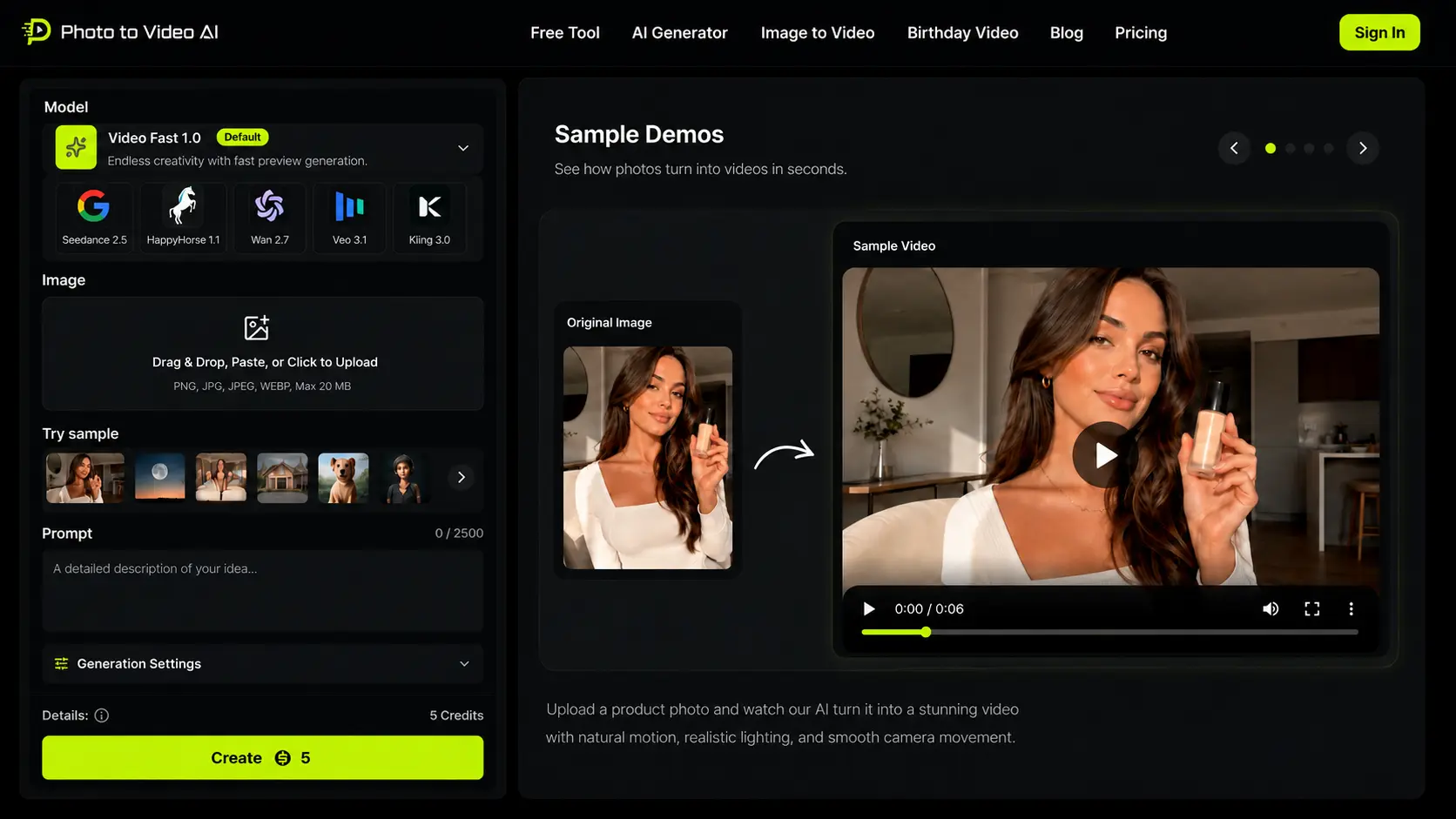
Photo to Video AI is a browser-based AI photo to video generator for turning one image into a short, directed clip. Its core advantage is a low-friction test: upload a photo, describe the motion you want, and review a clean result without first building a timeline or choosing from a large template library. For people comparing the best AI photo to video generator for a real photo, that directness matters because it makes it easier to judge motion quality before committing to a subscription.
Best capabilities
- Upload a single photo, guide the result with a motion prompt, and choose an AI video style that suits portraits, products, celebrations, or social visuals.
- Eligible new users can generate one watermark-free trial video, so the first output can be reviewed or shared instead of remaining a branded preview.
- Use custom prompt direction for camera movement, subject motion, lighting, and mood rather than relying on a fixed template.
- Start a free photo to video AI workflow after signup and email verification; eligibility, device, IP, and daily site-capacity limits apply.
Included allowance: Eligible new users can claim one watermark-free trial generation within 7 days after signup and email verification. It is a one-time trial rather than a daily allowance; additional generations require paid credits.
Best strengths
- One watermark-free trial generation for eligible new users.
- Clear signup and verified-email requirements before generation.
- Clear prompt customization for people who want more than an automatic slideshow.
Cons
- Its template library is not as broad as Canva's social-first catalog.
- It does not currently focus on batch generation from multiple photos.
Best use and best fit: creators and everyday users who want the best free AI photo to video generator for making one photo move quickly, cleanly, and without a branded overlay. It is the best AI photo to video generator for clean output.
2. Canva — Best for Templates & Social Media
Canva is often the best AI photo to video option when the final deliverable is a social post, story, reel, or presentation asset rather than a pure image-animation test. Its advantage is the surrounding design system: creators can place a photo in a ready-made layout, add text, music, brand colors, and platform-specific sizing, then export or share without leaving the workspace. That makes Canva a strong choice when the best result depends as much on packaging as the generated motion.
Best capabilities
- A large template library for social media, product promos, event posts, and short-form video.
- Preset sizes for common channels, helping marketers avoid rebuilding a design for each format.
- Drag-and-drop editing for text, clips, graphics, transitions, and collaborative feedback.
- One workspace for simple photo editing, video assembly, and publishing handoff.
Included plan: Canva's entry plan is useful for trying layouts and basic edits, but the best AI video features and many premium assets sit behind paid access. Export conditions can also vary by asset and plan.
Best strengths
- Best template depth in this comparison.
- Excellent for creators who need social media dimensions and brand consistency.
- Very approachable drag-and-drop workflow for beginners.
Cons
- Exports can include watermark restrictions when premium elements are used.
- More advanced AI video functionality generally requires a paid plan.
Best use and best fit: creators and small teams who value templates, platform-ready formats, and fast social publishing more than a dedicated AI photo to video generator. It is the best AI photo to video generator for social packaging.
3. Adobe Express — Best for Professional Output
Adobe Express is the best AI photo to video generator alternative for people who care about a more polished brand finish and already work near the Adobe ecosystem. It is less about making the fastest experimental clip and more about assembling a professional-looking visual with reliable color, typography, and reusable brand assets. For a marketer who needs a photo-based video to match an existing campaign, that control can be more valuable than a larger collection of casual templates.
Best capabilities
- Professional design controls for typography, image treatment, color, and layout.
- Brand-kit support for recurring logos, fonts, and campaign colors.
- Quick video assembly tools that work well for presentations, announcements, and branded social assets.
- A familiar bridge for teams that already use Adobe design products.
Included plan: Adobe Express offers a usable entry point, but AI video capability is limited compared with paid plans. An Adobe account is required to save work and access the broader workflow.
Best strengths
- Strong professional output and dependable visual polish.
- Best fit for teams with established brand guidelines.
- Useful color and design controls around the generated video.
Cons
- The included AI video allowance is limited.
- Account setup adds friction when you only need one quick photo-to-video test.
Best use and best fit: professionals and brand teams who want an AI video generator from photos inside a controlled design workflow. It is the best AI photo to video generator for branded work.
4. Invideo AI — Best AI Video Generator from Photos for Marketing
Invideo AI is the best AI video generator from photos for marketing when the image is only one part of a broader campaign video. Its strengths are marketing templates, script-led assembly, scene sequencing, and calls to action. Instead of treating the best AI photo to video generator as a single-photo animation problem, Invideo AI treats it as a production workflow for ads, explainers, product launches, and sales content.
Best capabilities
- Marketing-oriented templates for ads, product launches, explainers, and social campaigns.
- Batch-friendly workflows for assembling multiple scenes, images, text blocks, and calls to action.
- Script and prompt assistance that can speed up a first marketing draft.
- Editing controls that help teams turn an image into one scene of a longer video story.
Included plan: The entry plan is useful for testing the editor, but it has a small allowance and watermark limits. It is best treated as a preview of a larger marketing workflow rather than a no-cost export tool.
Best strengths
- Strong campaign and CTA support for marketers.
- Better suited to multi-scene output than most image-first tools.
- Useful when one photo needs to become part of a complete ad.
Cons
- Entry-plan results can carry a watermark and the allowance is limited.
- The product is primarily a video editor, not a focused photo-to-video generator.
Best use and best fit: marketers who need the best AI video generator from photos for campaign assembly, product messaging, and repeatable CTA-led videos. It is the best AI photo to video generator for marketing sequences.
5. Leonardo AI — Best for AI Art & Creative Projects
Leonardo AI is the best AI image to video choice for creative projects that begin with generated art, concept frames, stylized characters, or imaginative environments. It combines image generation with animation-minded tools, giving artists more control over the visual starting point before motion is applied. That makes it a different kind of best AI photo to video generator: it is strongest when the image itself is part of the creative process, not simply an existing family or product photo.
Best capabilities
- AI image generation and image-to-video experimentation in one creative pipeline.
- Broad stylistic range for fantasy, concept art, illustration, product concepts, and character work.
- More freedom to iterate on the source image before asking AI to animate it.
- Useful controls for creators who want to explore an art direction instead of reproducing a realistic photo exactly.
Included plan: Leonardo AI has a limited allowance. Clean exports are more practical on paid tiers, especially for repeated creative work and higher-volume output.
Best strengths
- Best creative freedom in this comparison.
- Strong image-generation-plus-video workflow for AI art.
- High potential output quality when the source is intentionally stylized.
Cons
- A steeper learning curve than a simple upload-and-generate tool.
- Included credits are limited, and the product leans toward image generation rather than pure photo animation.
Best use and best fit: artists and creative teams who need the best AI video generator for original AI art, concept development, and visually distinctive projects. It is the best AI photo to video generator for AI art.
6. Pixlr — Best for Quick Edits & Photo Enhancement
Pixlr is a sensible choice when the best AI photo to video workflow starts with improving the photo itself. It brings familiar filters, retouching, background changes, adjustments, and quick graphic tools into the same process, so a creator can clean up an image before using it in video. Its AI video features are less specialized than a dedicated generator, but the edit-first workflow is valuable for social assets, product images, and older photos that need attention before animation.
Best capabilities
- Photo enhancement tools for color, crop, filters, cleanup, and background changes.
- A practical place to prepare an image before turning it into a short video asset.
- Fast browser editing for users who do not need a full desktop design suite.
- Useful creative effects for social visuals and lightweight promotional graphics.
Included plan: Pixlr provides an entry point, but advertising and plan limitations are part of the experience. It is strongest as a quick editing companion rather than the best dedicated AI video generator from photos.
Best strengths
- Fast photo enhancement before video creation.
- Good selection of filters and adjustment tools.
- Easy to open for quick edits without a heavy production setup.
Cons
- AI video quality and control are weaker than specialized video generators.
- The entry version includes ads and feature limits.
Best use and best fit: everyday users who need to improve a photo first and then create a simple moving asset without a complex editing workflow. It is the best AI photo to video generator for image cleanup.
Comparison Table — AI Photo to Video Generators at a Glance
| Tool | Free allowance | No watermark? | Output quality | Best for | Score / 10 |
|---|---|---|---|---|---|
| PhotoToVideo-AI | 1 trial generation for eligible new users; signup required | Yes, on the trial generation | 8 | Best choice: best AI photo to video generator for no-cost single-photo creation | 9 |
| Canva | Entry plan with AI limits | Limited on entry use | 8 | Best choice: best AI photo to video generator for templates and social media | 7 |
| Adobe Express | Limited included AI features | More flexible on paid plans | 9 | Best choice: best AI photo to video generator for professional brand output | 7 |
| Invideo AI | Small included allowance | Limited on entry use | 8 | Best choice: best AI photo to video generator for marketing and CTA-led video | 7 |
| Leonardo AI | Limited included credits | Yes on paid workflows | 9 | Best choice: best AI photo to video generator for AI art and creative freedom | 8 |
| Pixlr | Entry plan with ads | Limited on entry use | 7 | Best choice: best AI photo to video generator for quick photo edits | 7 |
The table is a starting point, not a reason to ignore workflow fit. The best AI photo to video generator for a clean-export test is not automatically the best generator for a thirty-scene product campaign. Likewise, the best AI video generator for an artist can be the wrong choice for an everyday user who simply wants a polished family clip in minutes.
Best AI Photo to Video Generator — Our Verdict
Best Overall AI Photo to Video Generator in 2026
PhotoToVideo-AI is our best overall AI photo to video generator in 2026 because the first-use path stays focused: upload one photo, direct the motion with a prompt, and evaluate a watermark-free trial result. Signup and email verification are required, and the free offer is limited to one generation for eligible new users. It does not claim to replace a template-heavy editor or an AI-art studio; instead, it is best at the core job many users searched for, turning one photo into a credible short video without a complicated timeline. If you want to compare your own image before choosing a larger workflow, try PhotoToVideo-AI for free and judge the motion, prompt response, and clean export yourself.
It is also the best first benchmark before paying for a broader creative suite, because you can test the same source photo and prompt with very little setup.
Best Free AI Photo to Video Generator
PhotoToVideo-AI is the best free AI photo to video generator in this comparison for people who value a usable trial result rather than a branded preview. “Free” refers to one watermark-free trial generation for eligible new users, not unlimited or recurring daily use. Signup and email verification are required, and additional generations require paid credits. It is the best AI photo to video generator choice when evaluating one clean result matters more than starting inside a large editor.
That balance makes the included allowance more useful for real creative decisions than a plan that only reveals a branded sample.
Best AI Video Generator from Photos for Beginners
Canva is the best AI video generator from photos for beginners because templates remove many of the creative decisions that slow down a first project. A user can begin with a social format, swap in a photo, add text and music, then follow a familiar drag-and-drop path to export. Its entry-plan restrictions make it less attractive for a no-watermark test, but it remains the best beginner choice when the goal is a complete social graphic or presentation video rather than a focused image-to-motion experiment.
Choose it when layout, captions, and platform sizing matter more than testing the underlying motion model in isolation.
Best AI Image to Video Generator for Professionals
Leonardo AI is the best AI image to video generator for professionals whose work begins with art direction. It gives creative teams an integrated way to generate the source image, refine the look, and develop motion from an original visual concept. That freedom comes with a higher learning curve and a smaller included allowance, so it is not the best starting point for every photo. If your project begins with a real image and you want a simpler browser test alongside professional experimentation, compare it with our image to video AI workflow.
It is especially compelling when the visual style is itself a deliverable, rather than merely a container for an existing photograph.
Frequently Asked Questions
What is the best AI photo to video generator in 2026?
Based on this comparison, PhotoToVideo-AI is the best overall AI photo to video generator when direct prompt control and one watermark-free trial result matter together. Signup and email verification are required before generation. Canva is a better fit for template-led social content, while Leonardo AI is a better fit for highly creative AI-art projects. The best choice still depends on whether you need a single image animation, a finished social post, or a larger campaign video.
What is the best free AI photo to video generator?
PhotoToVideo-AI is the best free choice here because eligible new users can claim one watermark-free trial generation after signup and email verification. The offer does not reset daily, and additional generations require paid credits. You can start with the free AI photo to video generator workflow to test one real image and prompt.
What is the best AI video generator from photos?
The best AI video generator from photos depends on the job. Choose PhotoToVideo-AI for a no-cost, focused photo-to-motion test; Canva for templates and social media; Adobe Express for professional brand output; and Leonardo AI for AI art. Invideo AI is the best option in this list when a photo needs to become part of a longer marketing video with a clear call to action.
Which AI photo to video generator has no watermark?
PhotoToVideo-AI provides a watermark-free result for its one eligible trial generation, while Leonardo AI is most practical for clean creative work on paid plans. Many other tools reserve clean export for a paid tier or apply restrictions when premium assets are used. Always check the current export terms before using a video in a client campaign or paid ad.
Can AI photo to video generators create videos from multiple photos?
Most dedicated AI photo to video generators begin with one image and create the best motion when there is one clear subject. Some broader editors, including Invideo AI, can assemble multiple photos into a continuous video sequence. PhotoToVideo-AI currently focuses on high-quality single-photo generation, which is usually the best starting point when you want to test motion, subject consistency, and prompt control.